Live captions.On your Mac, in real time.
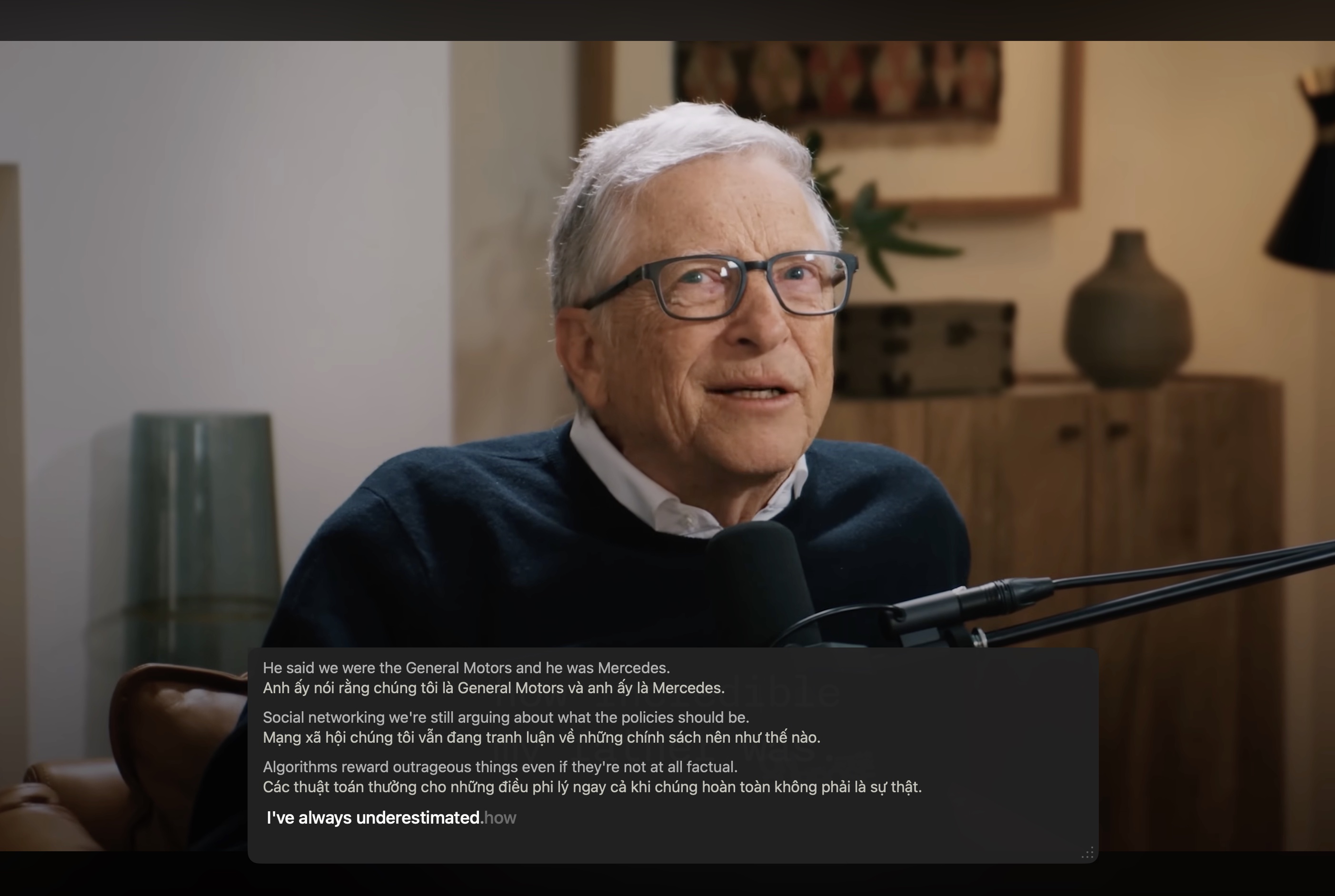
Watch any video in any language. Captions float above everything.
Four modes. Every speaking situation covered.
One shortcut, four workflows. Pick what you need — they all share the same on-device engine.
A floating caption layer
over any video or call.
For accents you can't quite catch, calls in noisy rooms, or watching foreign content. Floats above everything.
- System audio only — nothing saved, nothing recorded
- Real-time, low latency — captions appear as words are spoken
- Translate captions live 20 languages supported Pro
- Limited trial after sign-in
Your audio stays on your Mac. We never hear what you say.
Speakaway is the only transcription app where the model runs locally on Apple Silicon. No upload, no API call, no telemetry on your voice.
Recorded on-device
Nothing is uploaded. Your microphone and screen audio never touch a server, not even ours.
AI runs on Apple Silicon
Parakeet, Qwen3, and Whisper execute through CoreML. No API calls, no cloud latency, no rate limits.
One thing needs internet
Account verification only. We count how many minutes you've used — not what you said in them.
Start free. Upgrade when it clicks.
No credit card to start. Most people stay on the free plan and that's perfectly fine.
- File & Dictate transcription — unlimited, 99 languages
- Meeting + Live Captions — limited trial
- One-tap Google sign-in
- Everything in Free, plus
- Meeting & Live Captions — unlimited
- Translate + AI rewrite
- Custom prompts
- Priority support
Annual plan coming soon · No credit card to start · Cancel anytime